Hotel Lobby AI logoHotel Lobby AI

Hotel Lobby AI Prompts

Prepare two subject images with these prompts, then use our generator to create your orange-booth duet. Already have photos? Go straight to the generator.

You’ll upload your two images in our generator. It supplies the fixed scene prompt and reference video—no video prompt needed.

Reading and copying prompts is free, with no account needed. Video generation uses credits; the cost is shown before you submit.

Subject image prompts

Use these complete examples in an image tool. Create and save one subject at a time, then repeat with different details for the second image.

Original adult

Create a new person from a written description, without a reference photo.

What you need: A text-to-image tool. No reference image required.

Read & copy prompt: Original adult
Original adult

Create one original adult character for a reference image: short curly dark hair, a navy jacket over a plain white shirt, and a calm expression. Show only this subject, facing the camera with the head and upper body clearly visible. Use even lighting and a simple neutral background. Keep the face and clothing unobstructed. No microphone, second character, text, or logo.

What to change: Replace the hair, jacket, shirt and expression. Keep the one-subject framing.

Editorial draft. Not model-tested.
Images ready? Create your video

Adjust an authorized portrait

Change an outfit or visual style using a real reference photo. Identity preservation is a goal, not a guarantee.

What you need: Attach an authorized photo of one consenting adult in a tool that supports reference-image editing. Text alone cannot preserve your identity.

Read & copy prompt: Adjust an authorized portrait
Adjust an authorized portrait

Edit the attached authorized reference photo of one consenting adult. Aim to preserve the person's facial features, skin tone, age and hairstyle while changing the outfit to a forest-green jacket over a plain cream shirt. Keep only this person in the image, facing the camera with the head and upper body clearly visible. Use even lighting and a simple neutral background. Keep the face unobstructed. No microphone, second person, text, or logo.

What to change: Replace the jacket and shirt colors. Review the face after editing before using the image.

Editorial draft. Not model-tested.

Images ready? Create your video

Pet

Give one animal clear markings, ears and a recognizable silhouette.

What you need: A text-to-image tool for an original pet. For your actual pet, attach its photo in a reference-editing tool and ask to preserve its markings.

Read & copy prompt: Pet
Pet

Create a reference image of one golden retriever with honey-gold fur, floppy ears, dark brown eyes and a plain blue collar. Show only this animal, seated and facing the camera, with its head, chest and front paws clearly visible. Preserve a recognizable animal silhouette and natural proportions. Use even lighting and a simple neutral background. No human face, costume, microphone, second animal, text, or logo.

What to change: Replace the breed, fur pattern, eye color, ears and collar. For an existing pet, begin with “Edit the attached pet photo” instead of “Create”.

Editorial draft. Not model-tested.

Images ready? Create your video

Original anime character

Define a consistent illustrated style, hair silhouette and costume for one original character.

What you need: A text-to-image tool. No reference required for this original design; use only original or authorized character references when editing.

Read & copy prompt: Original anime character
Original anime character

Create one original adult anime character with a short auburn bob, round glasses and a teal varsity jacket over a plain cream shirt. Use clean linework, soft cel shading and consistent illustrated proportions. Show only this character, facing the camera with the head and upper body clearly visible. Keep the face, hair silhouette and costume unobstructed. Use even lighting and a simple neutral background. No existing franchise character, microphone, second character, text, or logo.

What to change: Replace the hairstyle, accessories and jacket colors. Keep the same linework and shading style for the second character.

Editorial draft. Not model-tested.

Images ready? Create your video

Other original character

Use a simple silhouette and clear body structure. This character design has not been tested in the video workflow.

What you need: A text-to-image tool for an original design. Use a reference-editing tool if you already have a character image you own or may use.

Read & copy prompt: Other original character
Other original character

Create one original clay robot character with a rounded terracotta head, two circular eyes, a compact torso and two clearly separated arms. Keep its silhouette simple and its body structure consistent, with a matte handmade clay finish. Show only this character, facing the camera with its head, torso and arms clearly visible. Use even lighting and a simple neutral background. No existing franchise design, microphone, second character, extra limbs, text, or logo.

What to change: Replace the material, head shape and body color. Keep limbs distinct; unusual anatomy may be harder to animate.

Editorial draft. Not model-tested.

Images ready? Create your video

Two images saved? Bring them to the generator.

Open the homepage generator and upload one image for the Left performer and one for the Right. Review their order, choose your video settings and check the credit cost before submitting. This link opens the generator; it does not apply a prompt or start a video.

Images ready? Create your video

Video prompts for external tools

These optional recipes are for tools with custom prompts, two subject-image inputs and a supported reference-video workflow. Check your tool’s documentation for input labels, supported reference counts and duration limits. They do not configure our generator.

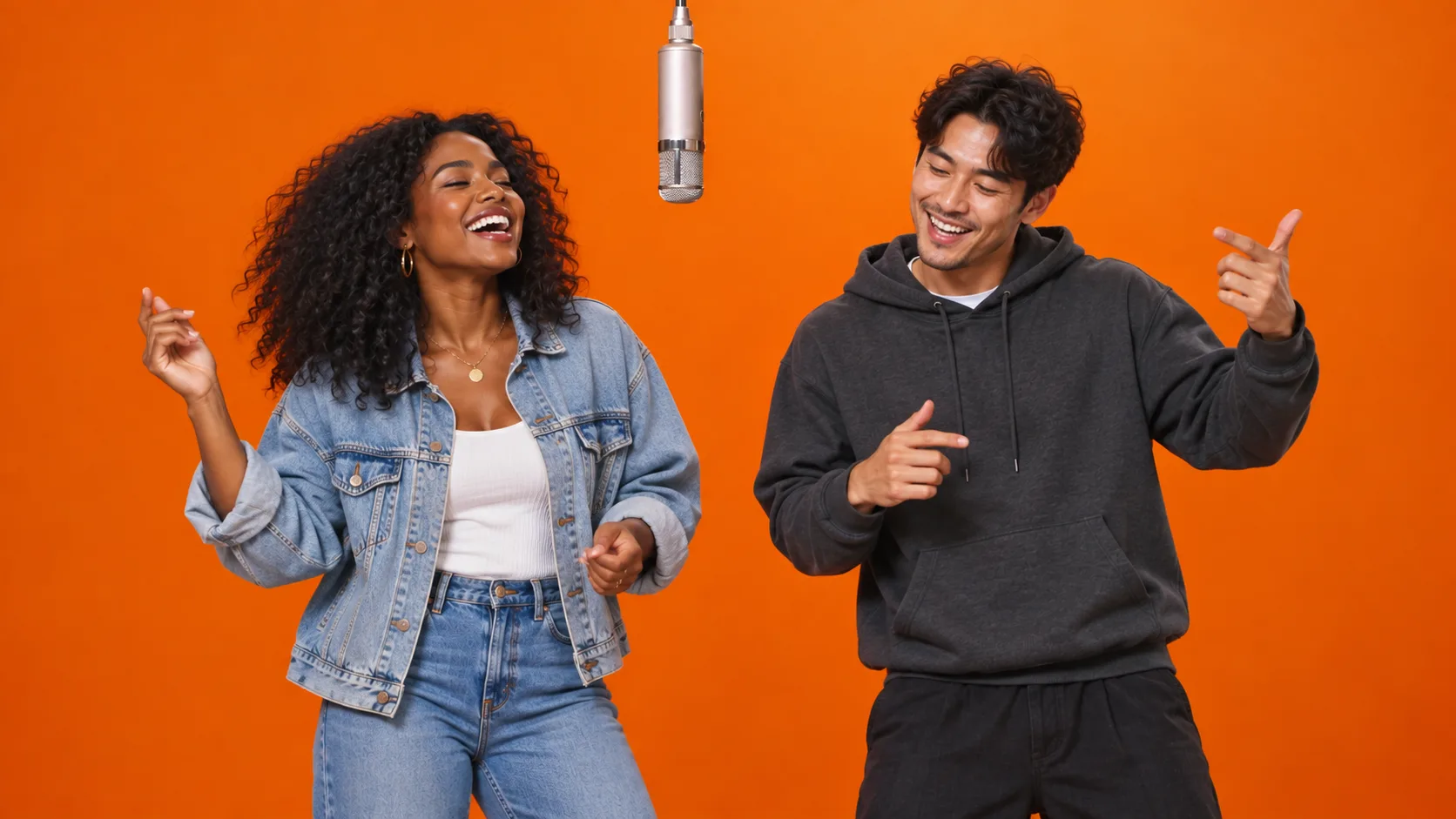
Two friends beside a hanging microphone in an orange booth, shown as a final-scene concept.
AI concept illustration of the final scene. Not a single-subject input image or a tested result of these prompts.

Image 1 defines the left subject. Image 2 defines the right subject. The reference video supplies movement, rhythm and camera behavior; the prompt maps those inputs to the orange-booth scene.

Adult duet

Keep two distinct adult identities while following a reference performance.

What you need: Two separate images of consenting adults and a reference video you have the right to use.

Read & copy prompt: Adult duet
Adult duet

Use TWO separate subject images and a reference video you have the right to use. Subject image 1 supplies the LEFT subject's identity, appearance and clothing; subject image 2 supplies the RIGHT subject's identity, appearance and clothing. Keep Reference 1 on the LEFT and Reference 2 on the RIGHT throughout. Use the reference video for movement, rhythm and camera behavior; do not invent a separate choreography that conflicts with it. Place both subjects in a seamless burnt-orange recording booth with one metal microphone hanging at the center. Aim for a continuous, locked-off medium-wide composition with soft, even lighting and a clear gap between the subjects. Choose a reference video with that composition and camera behavior. No additional subjects, captions or logos. Both subject images show consenting adults. Aim to preserve each person's distinct face, hairstyle, skin tone, outfit and relative proportions while following the reference performance. Keep faces visible and identities separate. Avoid blended faces, swapped outfits and overlapping limbs.

What to change: Describe distinguishing features if needed. Bind each image using your tool’s documented controls; the wording is not a universal reference syntax.

Editorial draft. Not model-tested.

Want to create it here? Use our generator with your two images.

Two pets

Preserve fur patterns and adapt reference movement to animal anatomy.

What you need: Two separate pet images and a reference video you have the right to use. Your tool must support these inputs; pet motion is not model-tested here.

Read & copy prompt: Two pets
Two pets

Use TWO separate subject images and a reference video you have the right to use. Subject image 1 supplies the LEFT subject's identity, appearance and clothing; subject image 2 supplies the RIGHT subject's identity, appearance and clothing. Keep Reference 1 on the LEFT and Reference 2 on the RIGHT throughout. Use the reference video for movement, rhythm and camera behavior; do not invent a separate choreography that conflicts with it. Place both subjects in a seamless burnt-orange recording booth with one metal microphone hanging at the center. Aim for a continuous, locked-off medium-wide composition with soft, even lighting and a clear gap between the subjects. Choose a reference video with that composition and camera behavior. No additional subjects, captions or logos. Both subject images show pets. Aim to preserve each animal's fur markings, ear shape, eye color, collar and natural body proportions. Adapt the reference movement to each animal's anatomy rather than forcing human hands or faces. Avoid extra paws, duplicated tails, merged bodies and changes to the fur pattern.

What to change: Describe distinctive markings and collars. Avoid adding human choreography that conflicts with the reference.

Editorial draft. Not model-tested.

Want to create it here? Use our generator with your two images.

Original character duet

Keep two original designs and their shared visual style consistent.

What you need: Two separate original or authorized character images and a reference video you have the right to use.

Read & copy prompt: Original character duet
Original character duet

Use TWO separate subject images and a reference video you have the right to use. Subject image 1 supplies the LEFT subject's identity, appearance and clothing; subject image 2 supplies the RIGHT subject's identity, appearance and clothing. Keep Reference 1 on the LEFT and Reference 2 on the RIGHT throughout. Use the reference video for movement, rhythm and camera behavior; do not invent a separate choreography that conflicts with it. Place both subjects in a seamless burnt-orange recording booth with one metal microphone hanging at the center. Aim for a continuous, locked-off medium-wide composition with soft, even lighting and a clear gap between the subjects. Choose a reference video with that composition and camera behavior. No additional subjects, captions or logos. Both subject images show original characters you own or are authorized to animate. Aim to preserve each character's face design, silhouette, materials, costume colors and distinctive accessories. Keep their illustrated or sculpted visual style consistent. Adapt the reference movement to their anatomy. Avoid photorealistic conversion, merged costumes, extra limbs and sudden transformations.

What to change: Describe materials, costumes and silhouettes. Keep both references in the same visual style; unusual anatomy is untested.

Editorial draft. Not model-tested.

Want to create it here? Use our generator with your two images.

Reference video: watching vs. using a file

Watch the reference

Watch Quavo & Takeoff’s HOTEL LOBBY performance on A COLORS SHOW to understand the scene and performance format.

Watch HOTEL LOBBY on COLORS

Reference file for DIY

Bring your own reference video that you have the right to use. We do not offer a DIY download here. A YouTube watch-page URL is not a model-ready video file, and public viewing does not grant download, reuse or redistribution rights. Generation success does not establish music or publishing permissions.

Read YouTube’s terms

Creating here? Our generator supplies its reference video. You do not need to upload one or copy a video prompt.

Check your inputs first

One image contains both subjects
Prepare two separate images, one subject in each. A group portrait does not provide two independent subject references.
The face or silhouette is hidden
Choose a clearer image with less obstruction. Keep hair, clothing and foreground objects away from the face.
The two images look inconsistent
Match lighting and visual style before generating the video. Avoid pairing a photorealistic image with a heavily stylized one unless that contrast is intentional.
Subjects appear on the wrong sides
Check which image is assigned to Left and Right. In external tools, use the documented reference binding and remove conflicting placement instructions.
Movement conflicts with the reference
In an external tool, remove invented choreography and use a reference video that matches the intended movement and camera. Prompt wording alone cannot guarantee the original motion or precise lip sync.

Hotel Lobby prompt questions

Can I skip the image prompts if I already have photos?

Yes. Go straight to the homepage generator with two clear images, one subject in each. Image prompts are optional preparation help.

Where do I use the subject image prompts?

Copy them into an image-generation tool and save the results. The portrait-editing recipe requires a tool that accepts an attached reference photo. This page does not generate or upload images.

Why do I need two separate subject images?

The video workflow uses independent Left and Right subject references. A combined portrait can make that mapping ambiguous. Keep each subject clear and the two images visually consistent.

How do I create a video with my prepared images?

Follow “Images ready? Create your video” to the homepage generator. Upload the Left and Right images, choose the available video settings, check the credit cost and submit there.

Do I paste a video prompt or upload a reference video here?

No. Our homepage generator supplies a fixed scene prompt and reference video. The external video recipes are for other tools that offer those inputs. Clicking a generator link does not change the preset or submit a job.

Are the prompts and video generation both free?

Reading and copying prompts is free and requires no sign-in. Video generation here uses credits, with the cost displayed before submission. External image and video tools have their own pricing.

Can you guarantee identity, original movement or lip sync?

No. These are editorial drafts, not model-tested recipes. Identity preservation depends on the inputs and model. Reference video can guide motion, but exact choreography and precise lip sync are not guaranteed; prompt text does not supply a song recording.

Continue with the existing workflow

Hotel Lobby AI is an independent creator studio inspired by Quavo & Takeoff's performance on A COLORS SHOW. Not affiliated with, endorsed by, or sponsored by Quavo, Takeoff, Quality Control Music, or A COLORS SHOW.

Watch Original Performance