What is Hotel Lobby AI? The orange-booth trend explained
What is Hotel Lobby AI? Discover the Migos orange-booth trend seen on TikTok, its Quavo & Takeoff source, and what people mean by the AI filter.
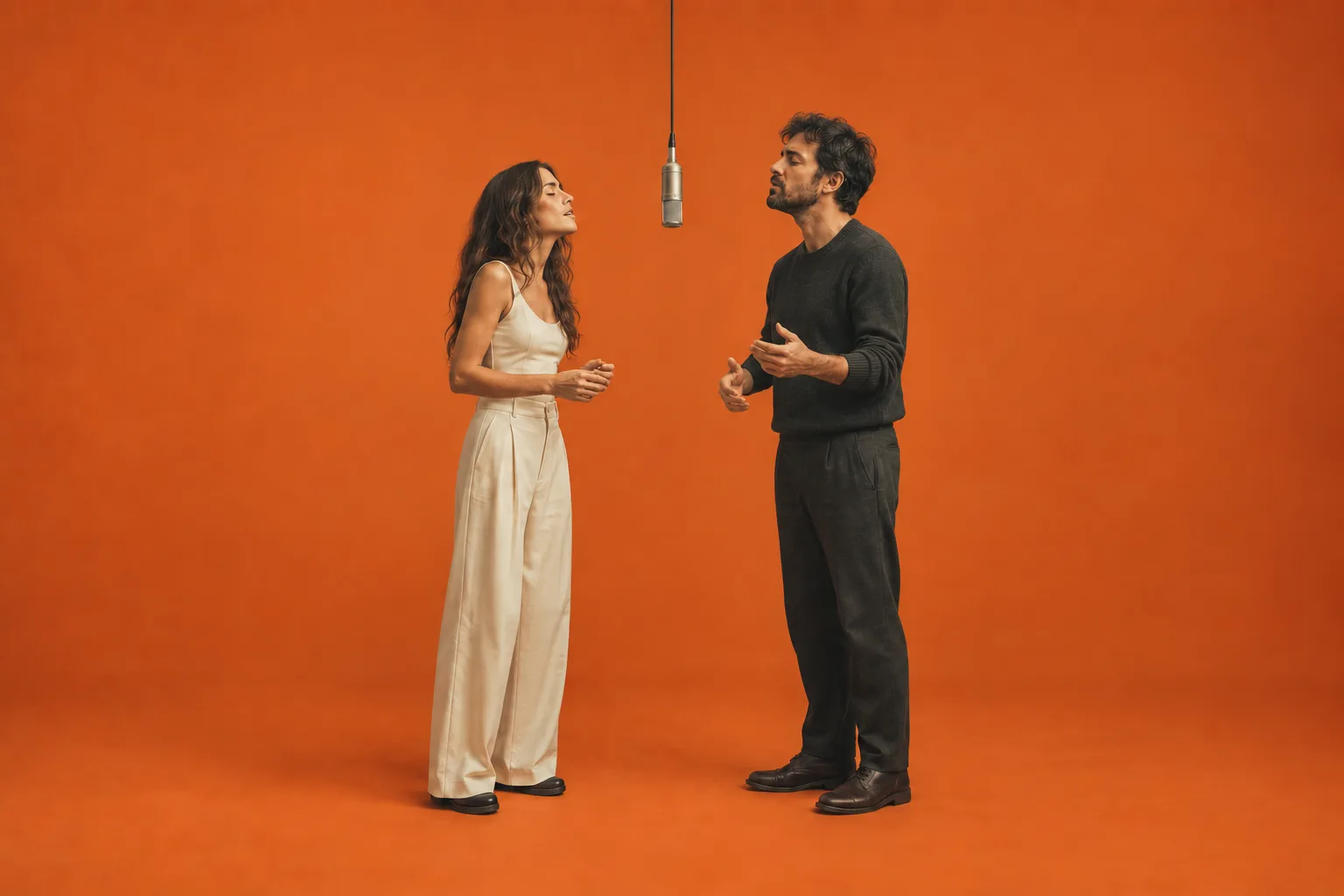
What is Hotel Lobby AI? It is an AI video format that puts two chosen subjects into an orange recording booth with a microphone hanging between them. The visual reference is Quavo and Takeoff's performance of “HOTEL LOBBY” on A COLORS SHOW. Creators change the cast to friends, pets or characters while keeping a recognizable performance setting.
You may also see it described as the Migos Hotel Lobby AI trend or a Hotel Lobby AI filter on TikTok. These names describe the source or visual effect; they do not identify one official app or establish that a video was made with a built-in TikTok effect.
On this website, the Hotel Lobby AI generator takes two reference photos and creates a 10-second duet using a prepared scene prompt. Other services use different methods, so check the actual tool's input requirements before following a tutorial.
If you have seen a pair of cats beside a suspended microphone and wondered where the joke came from, start with the performance. If you already know the format, our two-photo creation guide explains the practical steps.
The cover and illustrations in this article are AI-generated concepts. They are not frames from the original performance or verified Studio video results.
The original performance behind the orange booth
The reference is the official Quavo & Takeoff “HOTEL LOBBY” performance on A COLORS SHOW. Its sparse setting makes the two performers, their movements and the suspended microphone easy to recognize. That visual setup is what people usually mean when they mention the orange-booth version of the trend.
Three things can get mixed together in a search: the song, a music video for the song, and the COLORS performance. They are related, but they are not interchangeable sources. If you want to understand the booth composition, watch the COLORS performance linked above rather than assuming every result titled “Hotel Lobby” shows the same footage.
The AI version adds another layer. A clip may be a newly generated scene inspired by that setting, or it may use a reference-video workflow to guide movement. Some products describe their process as a character swap. Others use a scene template and still images. The finished appearance can look similar even when the underlying process is different.
We do not identify a first creator or a precise day when the AI trend began. The official performance establishes the visual source; it does not establish who first turned that source into an AI meme. Search results and reposts also do not provide a reliable count of how many versions exist.
Why is it called the Migos Hotel Lobby AI trend?
Quavo and Takeoff were members of Migos, so the group's name is a way to identify the performers behind the reference. The orange-booth source linked here is specifically their duet on A COLORS SHOW, not a performance by all members of Migos. Searching for the Migos Hotel Lobby AI trend can lead to both the original performance and AI recreations, so check which one a result shows.
This website is an independent generator. The name describes its inspiration; it does not imply endorsement by Migos, Quavo, Takeoff or COLORS.
What makes a clip recognizable?
Look for a small set of visual cues: a mostly uninterrupted orange background and floor, two distinct subjects, one hanging microphone, and a composition that leaves room to see both performers. The scene is simple enough that changing the subjects can carry most of the joke.
Movement matters too. A still image can suggest the setup, but a video adds head turns, gestures and reactions between the subjects. The exact choreography depends on the workflow and its result. A generated orange booth does not, by itself, prove that a tool has copied the source performance's motion or synchronized every mouth movement to the song.
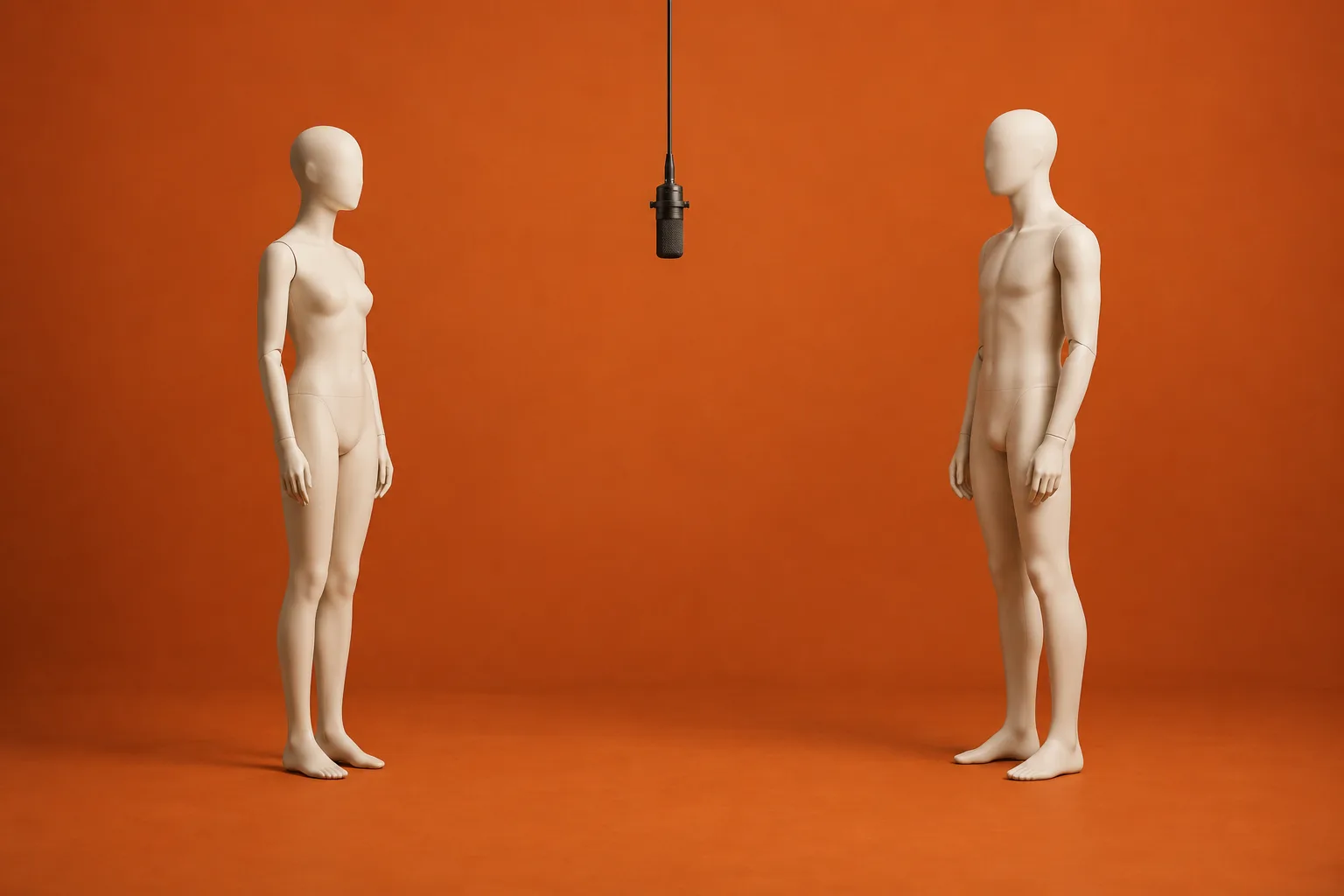
Scene illustration: two subjects, a clear gap, one microphone and an orange booth. This explains the composition rather than demonstrating a video model's output.
Why changing the cast changes the joke
The format gives the viewer a familiar setup before introducing an unexpected pair. Two people who rarely perform together, a reserved friend beside an expressive one, or a cat next to a dog can make the same booth feel different. The setting stays legible while the relationship supplies the surprise.
That is an editorial explanation of the format's appeal, not a claim about social-platform algorithms or measured engagement. We have not run a study showing that a particular pairing receives more views. A recognizable scene can still produce an uninteresting video if the audience has no reason to care about its subjects.
For a private group, shared context often does more work than visual complexity. Friends may recognize someone's usual jacket or a pet's expression immediately. A public audience lacks that context, so a clear pairing and a short, honest caption can help explain what the viewer is seeing.
The blank booth also keeps attention on small differences. Who turns first? Does the other subject seem to respond? Do their clothes or expressions suggest different personalities? These are useful things to look for when reviewing a result, even if the generator does not give you direct control over each action.
Adding more props is not automatically helpful. A crowded setting can make the microphone and the relationship between the subjects harder to read. Start with the cast and the basic composition. Decide whether anything else contributes to the idea before trying to introduce it through a tool that supports custom direction.
How Hotel Lobby AI videos are made
There are several routes to this appearance. Choosing between them starts with the input controls available in the tool, not the wording of a social-media caption.
| Approach | What you supply | What to check |
|---|---|---|
| A prepared scene generator | Subject photos and the available output settings | Whether the tool accepts one or two subjects, its duration and its actual price |
| A custom-prompt workflow | Supported image references plus written directions | Whether multiple images represent separate identities or different frames |
| A reference-video workflow | Supported subject references and an accepted source clip | Whether the selected mode supports motion reference, its file limits and its output behavior |
For example, Dreamina's public trend guide describes a prompt-led two-photo approach. Affogato's guide describes choosing a reference clip and assigning people within its own product. These are descriptions of those services, not interchangeable instructions for every AI video editor.
On this site, open the two-photo Studio when you want the prepared booth scene. You upload one image for the left performer and one for the right, then choose the model, resolution and aspect ratio. The scene instructions are already supplied. There is no custom prompt field or user-uploaded motion-reference video in this workflow.
The prompt library serves a different purpose. It helps you prepare subject images or write directions for external tools that accept the required inputs. Copying a prompt there does not change this site's Studio. Reading a template or opening a guide also does not transfer images into the upload fields.
A reference is guidance, not a guarantee
Two photos communicate which subjects you want. The prepared prompt requests separate identities and left/right positions, but a generated clip can still drift, blend features or place a subject incorrectly. Inspect the whole video before deciding whether it works.
Resolution and likeness are separate questions. A larger output can contain more pixels without resolving a mistaken face or an extra hand. Similarly, including a music track does not prove precise lip sync. Listen and watch together if timing is important to your idea.
When a tool uses the phrase “character swap,” read its description carefully. It might mean identity replacement within existing footage, or it might describe new footage generated with different subjects. This site's Studio creates a scene from the supplied references and preset instructions; it does not promise frame-for-frame preservation of the original performance.
Ideas you can develop with your own subjects
The Hotel Lobby templates page is a useful place to compare pairing ideas. Its current illustrations are concepts, so treat them as a starting point for planning your cast and references rather than a guarantee of what your next generation will look like.
For friends or partners, choose two separate photos that make each person easy to identify. Similar lighting can make the pair easier to assess side by side. Clothing with a distinct shape or color can also help you notice whether the generated video keeps the two people separate.
For pets, look for visible eyes, ears and recognizable markings. A picture of a sleeping animal with its face hidden gives you fewer features to compare later. The pet reference prompts can help plan an image in an external tool when you do not already have a suitable reference.
Original characters offer another route. Give each character a clear silhouette and decide which features must remain stable: a robot's head shape, an illustrated character's jacket, or an animal's markings. Keep the two references stylistically compatible if you want them to look as though they belong in the same scene.
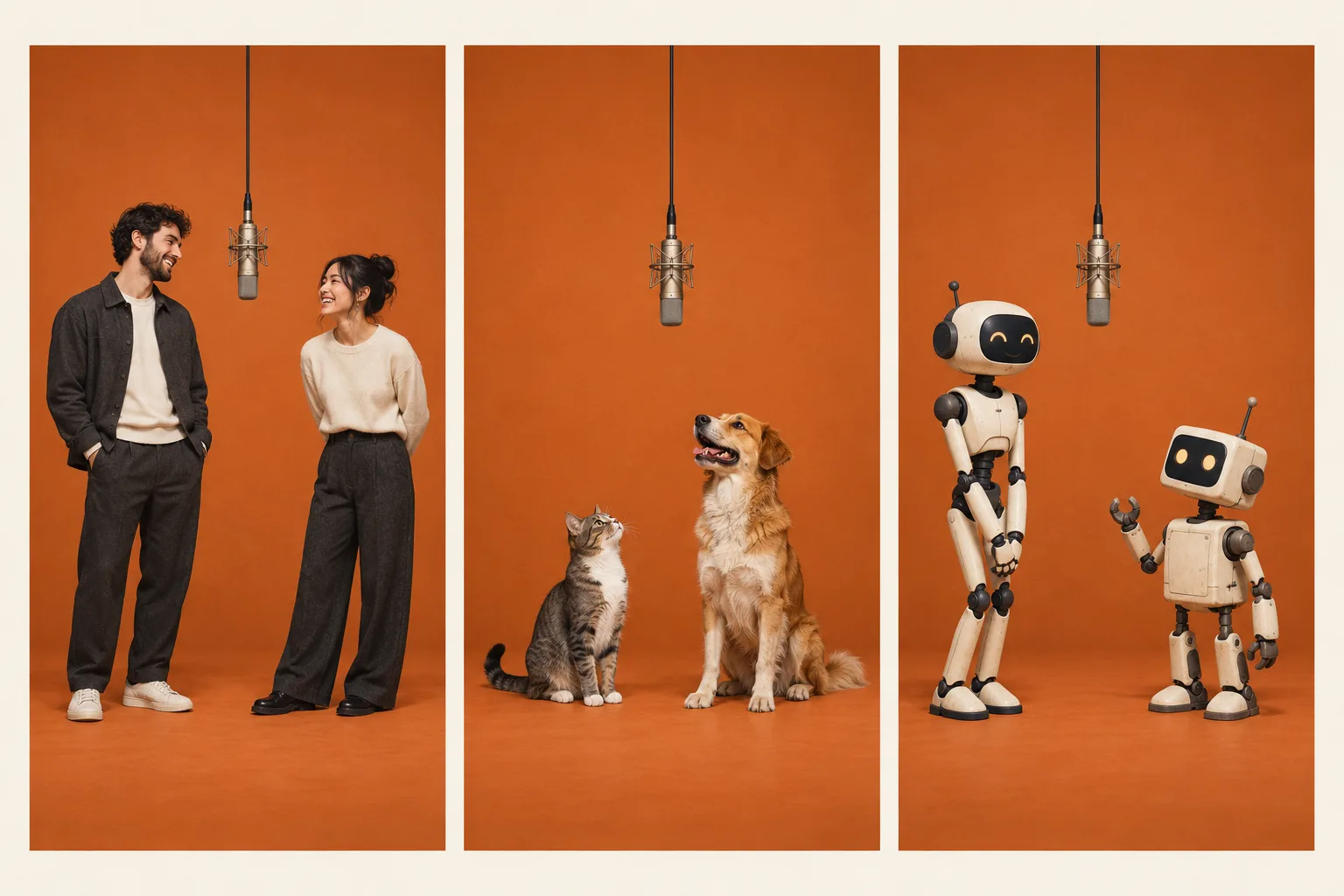
Three casting directions, illustrated for planning. These are original concepts, not customer examples or tested video results.
Whichever pair you choose, keep the intended audience in mind. A recognizable friend can make a private joke work; an original character may need a little context. Avoid presenting an AI performance as authentic footage of someone. Use images you are entitled to submit and get the depicted person's agreement when appropriate.
What a template does on this site
A template page can help you decide what to make, but the current examples do not install a special generation preset. The Studio still uses its fixed booth instructions. You prepare your two images and upload them yourself.
This distinction saves a common false start: browsing a pet example, returning to the homepage, and expecting the tool to have already loaded a cat and dog. It has not. The step-by-step guide shows where your references enter the process and what to inspect before spending credits.
Cost, format and audio before you start
This site's current videos are 10 seconds long. The default format is 16:9 landscape; 9:16 portrait is also available. Choose the format for the destination you actually need, since reframing a finished horizontal duet into a narrow vertical area may remove one of the subjects.
Video generation uses credits. The pricing page lists the current one-time packs and per-video rates for Basic and Premium. Purchased credits never expire. Reading the prompt library is free, but that does not make a Studio generation free. Review the displayed generation cost before you submit.
Confirmed failed tasks return their deducted credits. A task that is still pending or processing has not yet reached a final outcome. A completed clip that you dislike is also different from a technical failure, so consider your reference choices before starting another attempt.
The downloaded MP4 includes music from Quavo and Takeoff's “HOTEL LOBBY,” using the A COLORS SHOW performance, by default. Paying for generation does not purchase rights to the song or performance. Check the permissions and publishing rules that apply to your intended use; the site's terms describe its product boundaries.
When you are ready, prepare your two references in Studio. For a first attempt, make one clear pairing, choose a suitable format and review the quoted cost. You can assess the result more usefully when you know what you wanted the two subjects to look like before generation began.
Questions about the Hotel Lobby AI trend
Is Hotel Lobby AI about a real hotel lobby?
In this video context, the name refers to the “HOTEL LOBBY” performance format. The recognizable setting is an orange studio with a hanging microphone. Hotel reception design, property marketing and hospitality automation are different subjects that can appear in searches using the same words.
What song is used in the orange-booth video?
The source performance is Quavo and Takeoff's “HOTEL LOBBY” on A COLORS SHOW. Individual AI clips can have different soundtracks depending on the tool or the creator's edit. The official performance linked above is the reference for the source, rather than an unattributed repost.
Is the Hotel Lobby AI filter one app or a TikTok effect?
In this context, filter is an informal name for the orange-booth effect. Multiple services can create versions of it. A TikTok camera effect runs inside TikTok; Hotel Lobby AI on this domain generates a video from two photos and a fixed scene prompt, which you download separately. The name alone does not identify the workflow behind a clip. Our guide explains how to make and share your version on TikTok.
Can I make the video with my pets?
Pets are a possible casting idea using two separate references. Their appearance and movement depend on the model's output. Check markings, ears, paws and the separation between bodies throughout the clip. Our templates and prompt examples illustrate ideas; they do not establish a success rate for pet generations.
Do I need a prompt or the original video?
You do not submit either to this site's Studio. Bring two photos and use the available settings. An external workflow may require text or a reference clip, so follow the selected tool's documented input requirements. A YouTube link pasted into a text prompt does not establish that the tool can read its motion.
Is it free to make a Hotel Lobby AI video?
The prompt examples are free to read and copy. Studio video generation costs credits, with the amount shown before you generate. See the pricing page for the current rates and packs. If you use another service, check its current trial restrictions, export rules and billing terms separately.